User settings
Migration notice: This page was converted from the legacy TO3000 3D CHM. Classification: REWRITE. Legacy wording is evidence only — verify against current TO3000 7.1 / qa before treating as authoritative.
To open the TO3000 3D Personal settings window, enter the Backstage view and click the User Settings command.
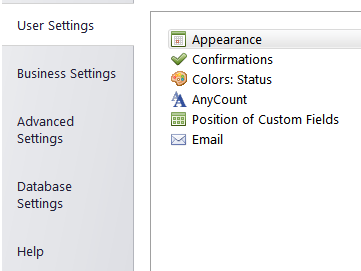
For details on each tab of Personal settings see:
-
Appearance — set up the general appearance of the program.
-
Confirmations — set the consistency checks in project and job timelines.
-
Colors: Status — status colors settings for quotes, projects, jobs and invoices.
-
AnyCount — settings of built-in AnyCount 3D engine for counting various file types.
-
Templates — customization of RTF templates. See Templates topic for details.
-
Position of Custom Fields — customization of custom fields’s position.
-
Email — the settings for the program’s Email connection.

See also: