Confirmations
Migration notice: This page was converted from the legacy TO3000 3D CHM. Classification: KEEP. Legacy wording is evidence only — verify against current TO3000 7.1 / qa before treating as authoritative.
Here you can select form a number of automatic consistency checks that will help identify disparities in job and project parameters.
If the parameters violate a consistency check, a warning message will be displayed on screen when trying to enter these parameters into the database.
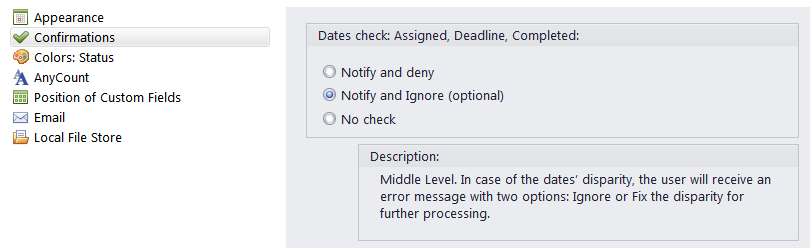
Date Check - checks whether the timelines within jobs and the timelines between projects and their jobs do not contain disparities, (e.g. a job’s deadline being earlier than it’s assignment, or a job’s completion being later than the completion of it’s parent project). There are three options for Date Check:
-
Notify and Deny - an error message will appear and the new data will not be entered.
-
Notify and Ignore (optional) - a warning message will appear, and ask the user whether they want to ignore the disparity and enter the new data.
-
No Check - Date Check is disabled completely.

See also: