Database settings
Migration notice: This page was converted from the legacy TO3000 3D CHM. Classification: REWRITE. Legacy wording is evidence only — verify against current TO3000 7.1 / qa before treating as authoritative.
The Database settings window is used to perform maintenance operations on the TO3000 3D database.
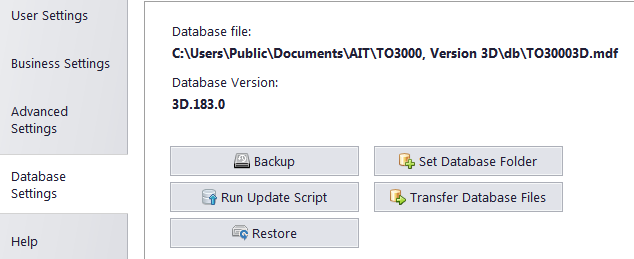
The following options are available in the Database settings window:
-
Backup - a quick back up of your database into a file, automatically signed with date and time of backup. It is recommended to back up your database often.
-
Run Update Script - manual update of the database version.
-
Restore - automatic restoration of TO3000 3D from a backup file.
-
Set Database Folder - change the database the program is currently using.
-
Transfer Database Files - move the current database to a different location.

See also: