Position of Custom Fields
Migration notice: This page was converted from the legacy TO3000 3D CHM. Classification: KEEP. Legacy wording is evidence only — verify against current TO3000 7.1 / qa before treating as authoritative.
To fit your individual needs and add different kinds of additional information you can create custom fields of various types: number, checkbox, string, text, date, time, date and time, for each major part of the database — Clients, Projects/Prospects and Business Expenses. Custom fields can be grouped into custom groups.
Custom fields can be added on the Custom Fields section of the Advanced settings window.
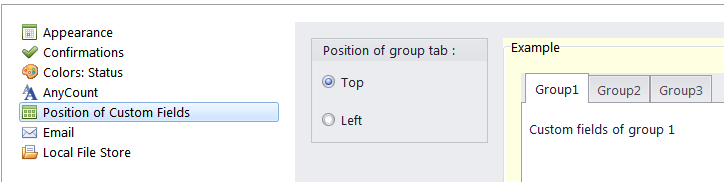
On the Position of Custom Fields section of the User settings you can change how custom field groups are displayed.
To open the Position of Custom Fields tab, go to Backstage > User Settings and click Position of Custom Fields in the left part of the window.
Choose either the Top or Left option to place custom groups’ tabs in the corresponding location.

See also: