Colors: Status
Migration notice: This page was converted from the legacy TO3000 3D CHM. Classification: KEEP. Legacy wording is evidence only — verify against current TO3000 7.1 / qa before treating as authoritative.
To make job, project, quote and invoice tracking more effective, TO3000 3D uses different colors to mark records with different statuses.
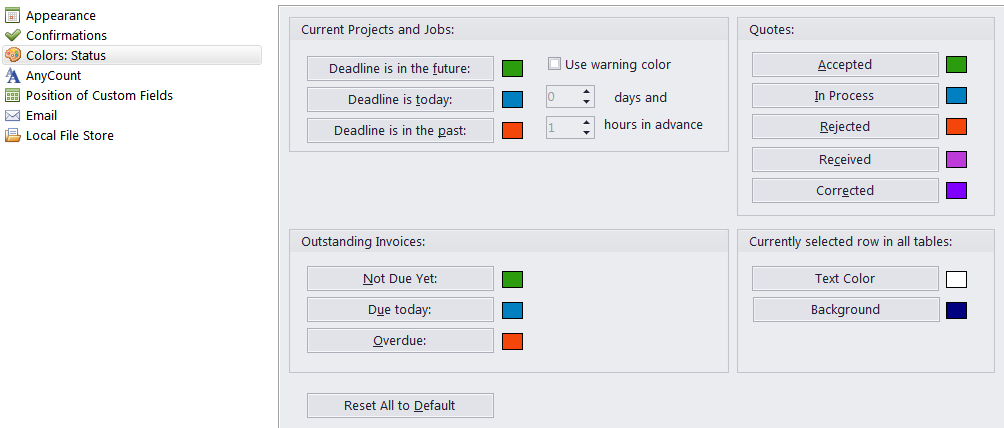
You can change the colors to mark off item status on the Colors: Status tab of the User settings.
To open the Colors: Status tab, go to Backstage > User Settings and click Colors: Status.
Use the corresponding buttons to open a color panel and set the color for each status of quotes, current projects and jobs, outstanding invoices.
A color highlight warning for projects and jobs is even more customizable: you can specify how much in advance warning statuses are assigned.

See also: