Payment Methods
Migration notice: This page was converted from the legacy TO3000 3D CHM. Classification: KEEP. Legacy wording is evidence only — verify against current TO3000 7.1 / qa before treating as authoritative.
The payment method is one of the many parameters that can be added to an invoice when it is issued with TO3000 3D. The payment method contains details for performing the payment (bank details, for example).
You can create/edit/delete payment method records on the Payment Methods tab of the Business Settings window.
To open the Payment Methods tab click Payment Method in the left part of the Business settings window.
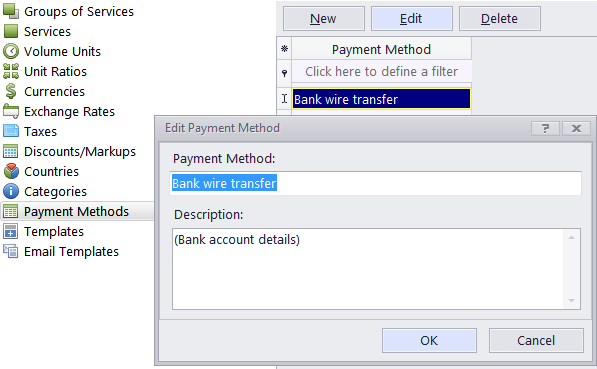
To add a new payment method click the New button, enter the payment method’s name (150 characters maximum) and description in the corresponding fields.

See also: