Discounts/Markups
Migration notice: This page was converted from the legacy TO3000 3D CHM. Classification: KEEP. Legacy wording is evidence only — verify against current TO3000 7.1 / qa before treating as authoritative.
TO3000 3D provides you with the ability to add and automatically consider discounts and markups when issuing invoices.
You can specify discount/markup names and rates on the Discounts/Markups tab of the Business Settings window.
To open the Discounts/Markups tab click Discounts/Markups in the left part of the Business settings window.
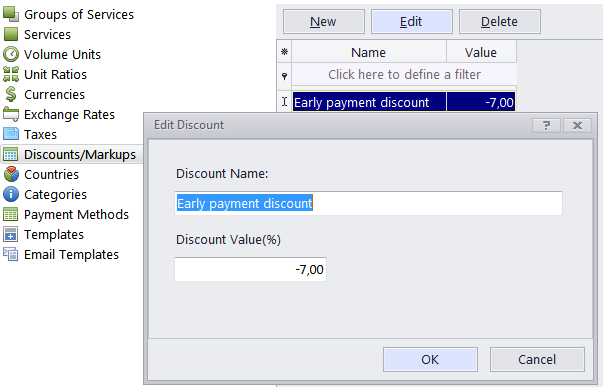
Discount rate (value) should be negative; Markups are entered/edited in the same New Discount/Edit Discount window but must have a positive value.
To create a discount or markup, click the New button, enter Discount/Markup name and value (rate) in the appropriate fields. Please note that rate should be entered as a percentage (but without the “%” sign).

See also: