Restore
Migration notice: This page was converted from the legacy TO3000 3D CHM. Classification: REWRITE. Legacy wording is evidence only — verify against current TO3000 7.1 / qa before treating as authoritative.
The Restore command is performed to restore the database which you have saved in a backup file created earlier (by running the Backup command).
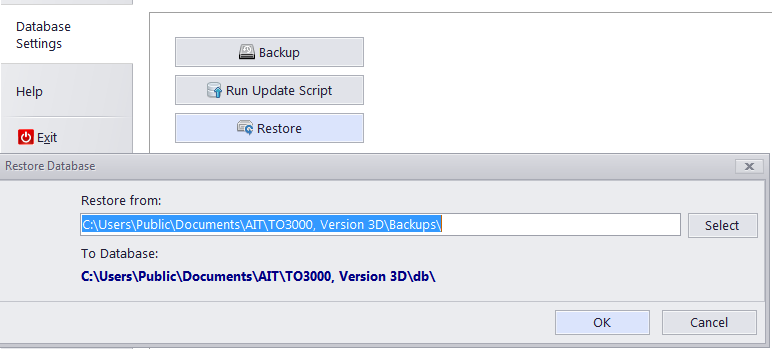
To restore your database from a backup file:
1. Click Database Settings in the Backstage view;
2. Click the Restore button on the Database Settings window of TO3000 3D.
3. Click the Select button in the Restore Database dialog and locate required backup .BAK file (by default these files are stored in C:\Users\Public\Documents\AIT\TO3000, Version 3D\Backups) and click OK to begin the restore operation.
 NOTE: It is good practice to backup a database or copy it to another location before running the Restore function.

See also: