Countries
Migration notice: This page was converted from the legacy TO3000 3D CHM. Classification: KEEP. Legacy wording is evidence only — verify against current TO3000 7.1 / qa before treating as authoritative.
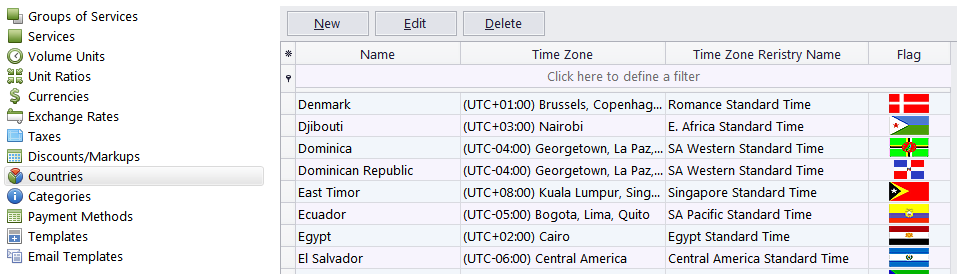
When creating a new client record in TO3000 3D you can enter the postal address and specify the country by selecting it from the drop-down list. On the Countries tab of the Business Settings window you can manage the list of countries mentioned above.
 NOTE: By default, the TO3000 3D database already contains an almost exhaustive list of countries.
To open the Countries tab click Countries in the left part of the Business settings window.
The entries for each country contain it’s name, flag (optionally), and time zone.

See also: