Project window Info tab
Migration notice: This page was converted from the legacy TO3000 3D CHM. Classification: KEEP. Legacy wording is evidence only — verify against current TO3000 7.1 / qa before treating as authoritative.
The Info tab of the Project window can be used to enter any optional additional information regarding the selected the project in a plain text format. Notes can be filtered by custom categories.
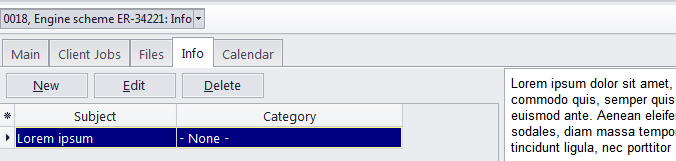
Subject - maximum 100 characters long.
Category - categories of notes can be added by clicking User settings in the Backstage View and selecting Categories. See the Categories topic for additional details.
Information - a plain text note any umber of characters long.
Notes can be filtered by the Subject or Category columns.

See also: