XML Range Editor
Migration notice: This page was converted from the legacy TO3000 3D CHM. Classification: KEEP. Legacy wording is evidence only — verify against current TO3000 7.1 / qa before treating as authoritative.
Used for Data Packet V 2.0 files.
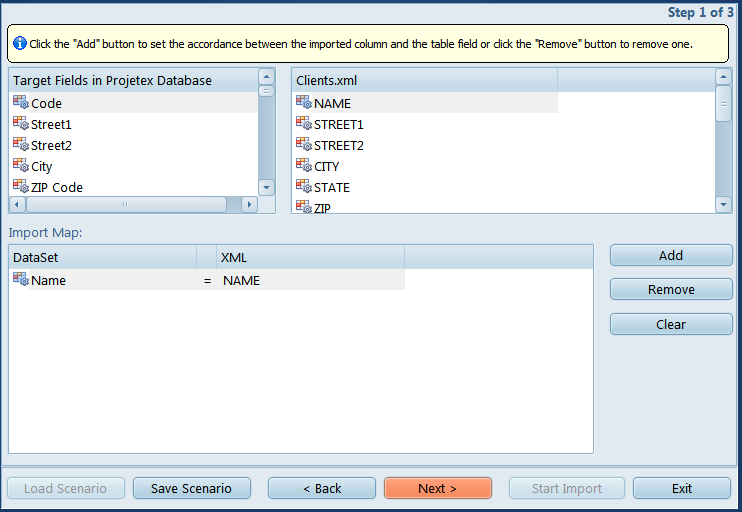
Select the target and source fields in the top half off the screen and click Add to set up a link between them.
Click Remove or Clear to cancel a particular link or all links, respectively.

See also: