XLSX Range Editor
Migration notice: This page was converted from the legacy TO3000 3D CHM. Classification: KEEP. Legacy wording is evidence only — verify against current TO3000 7.1 / qa before treating as authoritative.
Used for Microsoft Excel 2007 and newer files.
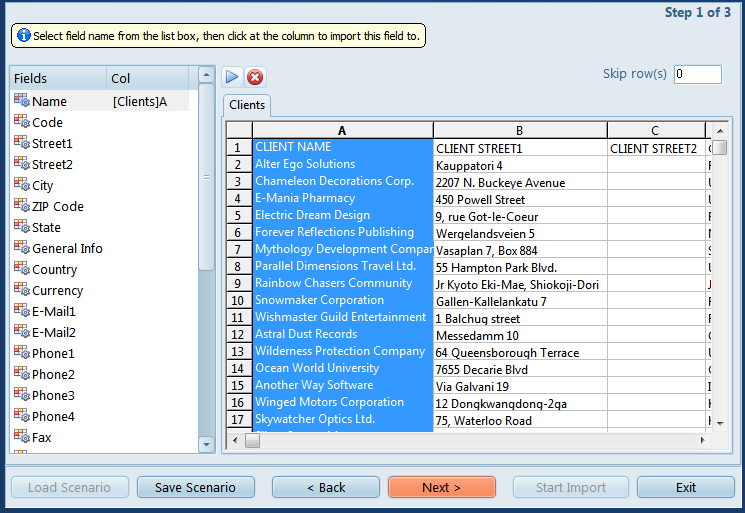
Select a Projetex database field from the left-hand list and click the corresponding column in the table to the left to assign that column to the field.
The Auto-assign  button will automatically assign columns to fields based on their order and Cancel
  will clear all selections.
Use the Skip Row(s) field to exclude title rows from the import.

See also: