Creating contacts
Migration notice: This page was converted from the legacy TO3000 3D CHM. Classification: KEEP. Legacy wording is evidence only — verify against current TO3000 7.1 / qa before treating as authoritative.
To add or edit a contact person to a client’s profile, click the New/Edit button on the Contacts tab of the Client window.
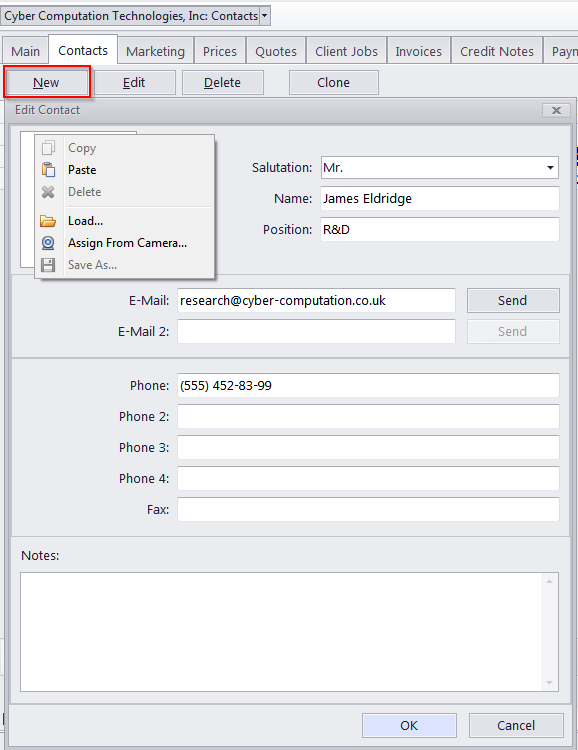
The following data can be added to a Contact profile:
Photo – up to 110x120 pixels. Click Load, Paste or Assign from camera to add a photo to the contact’s profile. Click Delete to remove the current photo from the profile.
Salutation – select one of the salutations, entered via the Advanced Settings section of TO3000 3D. This salutation can then be automatically displayed on all printable documents next to this contact’s name.
Name – maximum 80 characters.
Position – maximum 40 characters. Like the salutation, the position will also be automatically displayed on printable documents.
E–mail (up to 2) – maximum 150 characters. The Send button becomes active only if a valid e–mail address is entered.
Phone (up to 4) and Fax numbers – maximum 150 characters each.
Notes – a plain text note with no maximum length.

See also: