Invoice Wizard
Migration notice: This page was converted from the legacy TO3000 3D CHM. Classification: REWRITE. Legacy wording is evidence only — verify against current TO3000 7.1 / qa before treating as authoritative.
This wizard can quickly create new Invoices. The process has 2 steps:
1. Select the client for which you want to create a new Invoice.
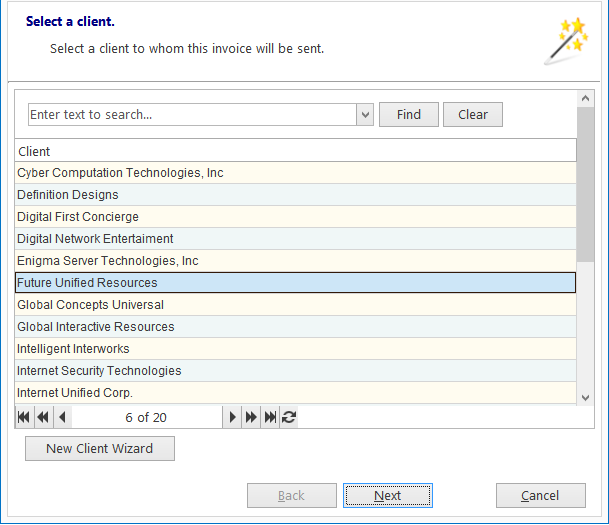
You can open the New Client Wizard from this window as well.
2. (Only in With Projects mode) Select whether you want to add uninvoiced Jobs from all of the Client’s projects, or from a specific project.
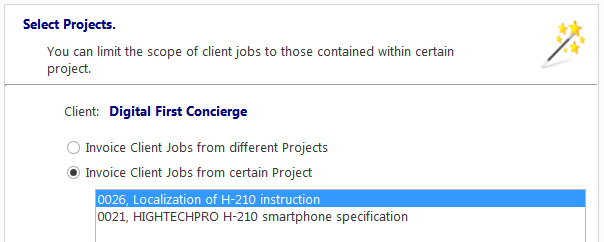
Once you click Finish, the New Invoice Window will open, with all uninvoiced jobs added, and you will be able to enter the other details of the Invoice.

See also: