Global Search
Migration notice: This page was converted from the legacy TO3000 3D CHM. Classification: KEEP. Legacy wording is evidence only — verify against current TO3000 7.1 / qa before treating as authoritative.
Use the Global Search field near the Global Date Filter to search for a specific string of text across the entire database.
Once the search is complete, a Search Results windows will open, Where you can review and refine them.

Result tables
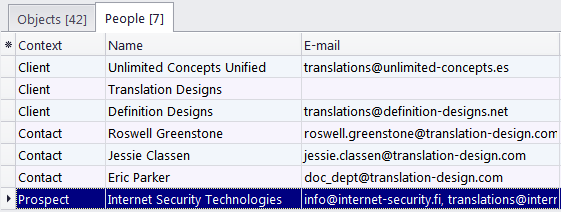
Search Results are displayed in table form in two separate tabs: Objects and People.
-
The Objects table contains Projects, Jobs, Invoices, Payments, and other documentation. It is divided into four columns: Context (i.e. the table, where the object is found), Code, Name, and Assigned (date).
-
The People table contains Clients, Contacts and Prospects. It is divided into four columns: Context, Name, E-mail, and Phone.
Both tables are initially sorted by Context. Double-clicking a result will take you to the table where it originates from.
Refining search results
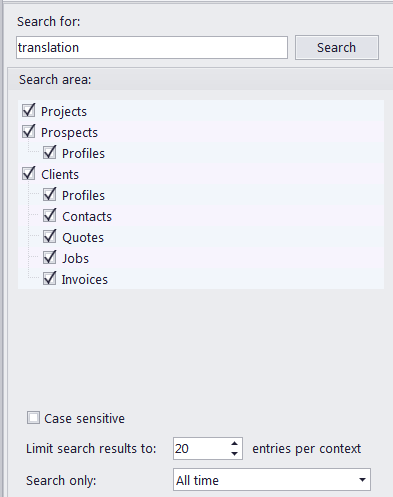
The left-hand side of the Search Results window consists of a dialog box used to alter the search parameters and refine the results.
The Search Area window displays all the tables to be searched. You can check and uncheck any of them to define the exact scope of the search.
You can also determine whether the search is case sensitive, define the maximum number of results displayed from each context, and set the maximum age of entries to appear in the results (only affects Objects).
After making the desired alterations to the parameters, click Search to apply them.

See also: