Global date filter
Migration notice: This page was converted from the legacy TO3000 3D CHM. Classification: KEEP. Legacy wording is evidence only — verify against current TO3000 7.1 / qa before treating as authoritative.
The global date filter can be set to display only the records that fall within a certain time interval. For example, you can set the global date filter to display only records for a certain year, quarter, month or to specify a custom time interval.

The three buttons on the filter display are, left to right: Edit (opens the filter’s dialog window), Off (clears the current filter), and Recent (restores the most recent previously used filter).
The global date filter’s effect is not limited to the currently open window. Once applied, it works in all date-relevant records.
Filter Options
All Dates/Off - the default setting. The filter tis not active.
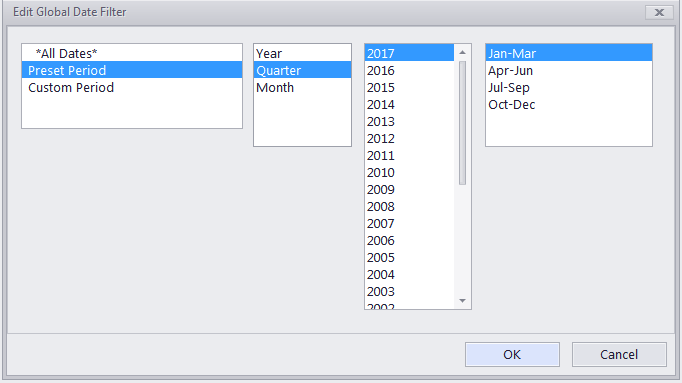
Preset period - select a specific year, quarter, or month to view.
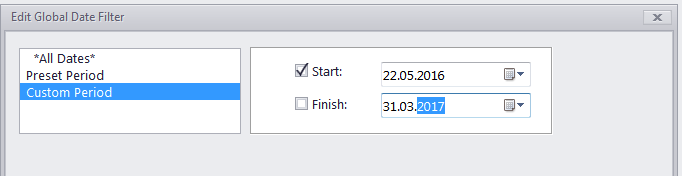
Custom period - manually select the start and/or end
Affected areas
The following windows and tabs are affected by the global date filter:
In the Prospects Workspace tab:
-
The Prospect window tabs: Marketing, Quotes, Prospect Jobs, Invoices, Credit Notes, Payments, Payments and Accounts.
-
The Prospects: Quotes window.
-
The Prospect Jobs window.
-
The Prospects: Invoices window.
-
The Prospects: Credit Notes window.
-
The Prospects: Payments window.
-
The Prospects: Refunds window.
In the Clients Workspace tab:
-
The Client window tabs: Marketing, Quotes, Projects, Client Jobs, Invoices, Credit Notes, Payments, Payments and Accounts.
-
The Clients: Quotes window.
-
The Client Jobs window.
-
The Clients: Invoices window.
-
The Clients: Credit Notes window.
-
The Clients: Payments window.
-
The Clients: Refunds window.
-
The Business Expenses window.
-
The Client Accounts window.
In the Projects Workspace tab:
-
The Project window tabs: Main, Client Jobs.
-
The Client Jobs window.
Most Static Reports are also affected by the filter.
 NOTE: The Global date filter affects the whole database. If you change it in one tab or window, it will change globally throughout the TO3000 3D database.
NOTE: The Global date filter setting is saved when you close the program and will be used next time you run TO3000 3D.

See also: