DBF Range Editor
Migration notice: This page was converted from the legacy TO3000 3D CHM. Classification: KEEP. Legacy wording is evidence only — verify against current TO3000 7.1 / qa before treating as authoritative.
Used for dBase 3, dBase 4 and dBase 5 files.
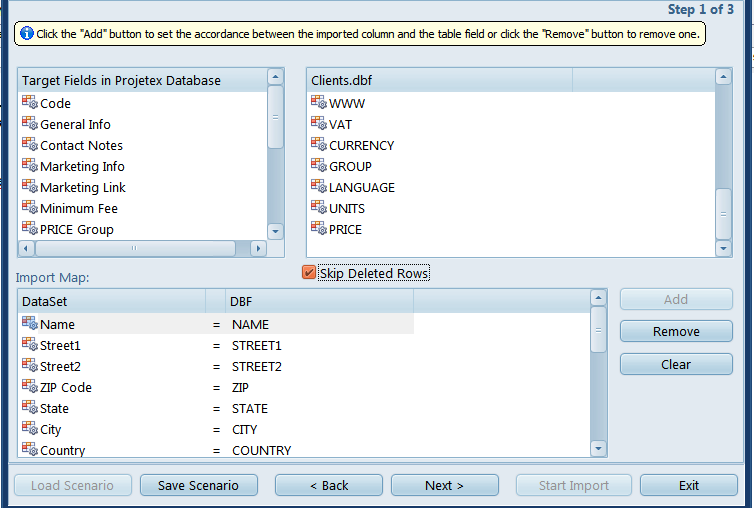
Select the target and source fields in the top half off the screen and click Add to set up a link between them.
Click Remove or Clear to cancel a particular link or all links, respectively.
One peculiar feature of dBase is that deleted records are not immediately removed from the database, instead they are just given the “deleted” status, emulating a “recycling bin” kind of functionality.
You can choose to either skip these rows or import them with the Skip Deleted Rows checkbox.

See also: