Contact Wizard
Migration notice: This page was converted from the legacy TO3000 3D CHM. Classification: KEEP. Legacy wording is evidence only — verify against current TO3000 7.1 / qa before treating as authoritative.
This wizard can quickly add new contact person records to Clients. The process has 2 steps:
1. Select the client for which you want to create a new contact person record.
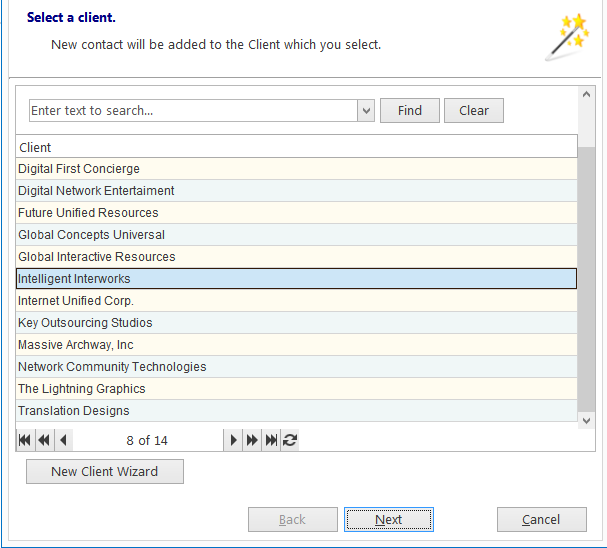
You can open the New Client Wizard from this window as well.
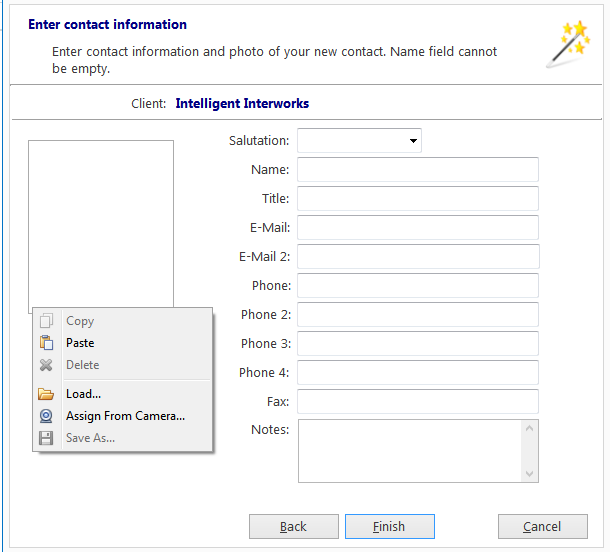
2. Enter the personal and contact data of the contact. You can also add a photo.

See also: