Columns Customization
Migration notice: This page was converted from the legacy TO3000 3D CHM. Classification: KEEP. Legacy wording is evidence only — verify against current TO3000 7.1 / qa before treating as authoritative.
You can easily choose columns to be displayed in a table. To choose displayed columns:
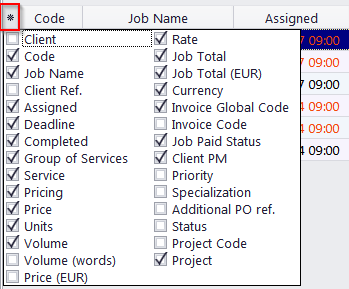
1. Click the Asterisk symbol in the top-left corner of a table to display a list of columns, available for that table.
2. Choose columns which should be displayed by selecting the appropriate check boxes.

See also: