Cloning and converting a prospect
Migration notice: This page was converted from the legacy TO3000 3D CHM. Classification: KEEP. Legacy wording is evidence only — verify against current TO3000 7.1 / qa before treating as authoritative.
Cloning
In case the prospect you are about to create, has the same or similar data as one of the existing prospects, it is recommended to use the clone option to copy selected data from the existing prospect to a new one.
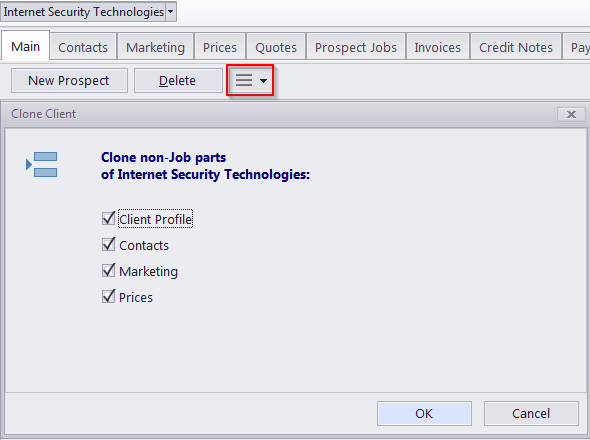
The following data can be copied:
Profile — although it is unlikely that two different prospects will have same profile information (like address or contact details) some information such as payment terms, invoicing policy and locale settings may be common.
Contacts — cloning contacts (Contacts tab of Prospect window) data may have time when creating a prospect for new department or subsidiary of an existing prospect.
Marketing — marketing information (Marketing tab of Prospect window) can also be cloned.
Prices — if a new prospect has same or similar prices (Prices tab of Prospect window) as one of the existing Prospects, this data can also be cloned.
To clone a prospect record, select the required prospect from the list on the Main tab of Prospect window, click the More… button and select Clone. The newly cloned prospect will appear in the list with the CLONED string added to their name.
Converting into a client
Once you strike a deal with a prospective client, you can convert them into a full client.
All the database entries connected to the prospect and all of the prospect’s files will be moved into the Clients database.
To convert a client in to a prospect, click the More… button and select Move to Clients.

See also:
Contacts tab of Prospect window