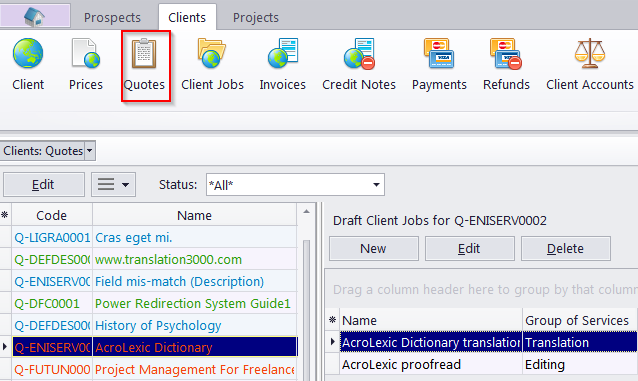
Client Quotes window
Migration notice: This page was converted from the legacy TO3000 3D CHM. Classification: KEEP. Legacy wording is evidence only — verify against current TO3000 7.1 / qa before treating as authoritative.
The Client Quotes window provides an overview of all quotes, issued to all clients. The options available for this window are the same as those for the Quotes tab of the Client window. The major differences are:
– Quotes to Clients window displays all quotes for all clients.
– New quotes cannot be created using this window.
– Existing quotes cannot be deleted using this window.
To create a new quote to a client, open the Main tab of the Client window, select that client, then switch to the Quotes tab of the Client window and create your quote from there.
To quickly create a project based on a quote, select it and click the Create project Based on Quote button. This will create a project with the same timeline and client jobs as in the quote the project was based on.
Quote Status
A quote can have one of the five statuses: Unknown, Accepted , Rejected, Received and Corrected. Depending on its current status, the quote will be marked with a different color in the quotes list:
-
blue for Unknown
-
green for Accepted
-
red for Rejected
-
purple for Received or Corrected

See also: