Prospect Window Prospect Jobs Tab
Migration notice: This page was converted from the legacy TO3000 3D CHM. Classification: KEEP. Legacy wording is evidence only — verify against current TO3000 7.1 / qa before treating as authoritative.
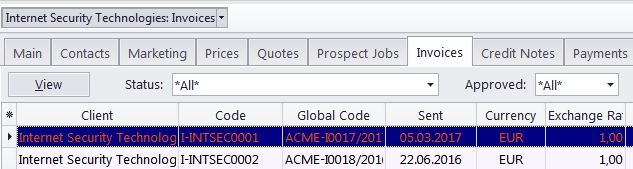
The Invoices tab of the Prospect window is used to keep record of invoices issued to currently selected former or inactive client.
Invoices can not be created, deleted, or edited here. This tab serves only to store previously issued invoices.
Filters
You can choose to view only invoices with a specific status. To display only the invoices with a particular status, click the Status filter drop-down list.
You can also set TO3000 to display only those invoices which have or have not been approved by applying the Approved filter.
Invoice Statuses
Invoices in the list are shown in different colors. These are determined by the current status of each invoice:
Green — the invoice is outstanding and is expected to be paid soon.
Blue — the invoice is outstanding and is expected to be paid today.
Red — the invoice is outstanding and its payment is overdue.
Black — the invoice has been settled (paid) or voided.
 Note: You can change the colors on the Colors: Status tab of the User Settings menu in the Backstage view.

See also: