Client Accounts window
Migration notice: This page was converted from the legacy TO3000 3D CHM. Classification: KEEP. Legacy wording is evidence only — verify against current TO3000 7.1 / qa before treating as authoritative.
The Client Accounts window presents a simplified balance sheet of your Clients based on their payments, invoices, credit notes and refunds. You can use this window to identify which Client’s accounts require attention. you can also see your operating profit here, calculated as Total invoices minus business expenses.
Accounts can be viewed both in the Client’s currency and in your Base currency: use the View drop–down list to select in which currency do you wish to view records. Alternatively, you can use the Customize columns option to add columns to the view. The columns containing the base currency’s abbreviation display records in your base currency.
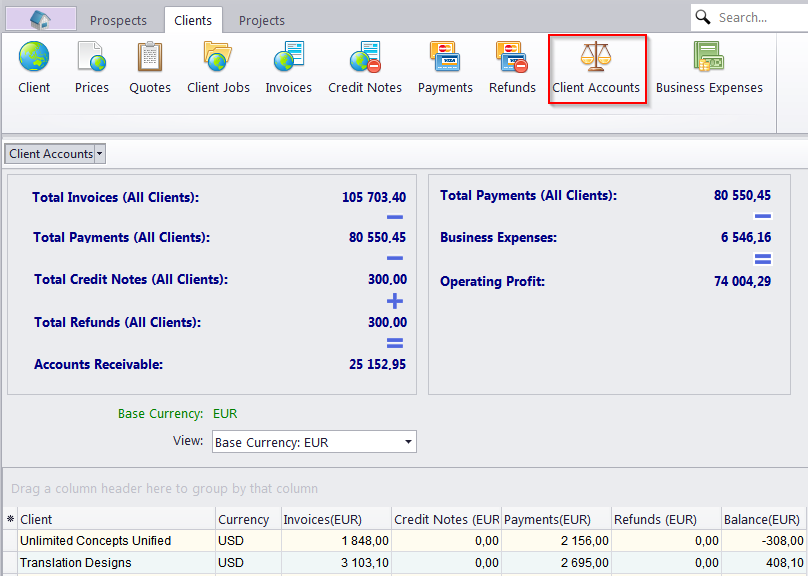
 NOTE: To view the global balance, please select the Base Currency option in the View drop–down list.

See also: