Dashboard Icons
Migration notice: This page was converted from the legacy TO3000 3D CHM. Classification: KEEP. Legacy wording is evidence only — verify against current TO3000 7.1 / qa before treating as authoritative.
The Dashboard ribbon has only one tab, also called Dashboard.
The icons on the dashboard Ribbon represent all the available Dashboard widgets. A click on an icon opens the corresponding widget in the main window.
The icons are separated into four groups, according to the subject matter of the widgets.
Client Job Widgets

The Client Job widgets display the number and total volume of the corresponding client jobs, Except for “Not Invoiced Total”, which displays the total value in the Base Currency rather than the volume.
Invoice Widgets
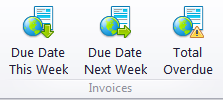
The Invoice widgets display the number of corresponding invoices. “Total Overdue” also displays the total value in the Base Currency.
Project Widgets
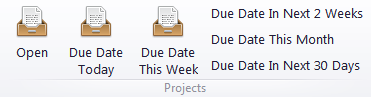
Project widgets display the number of corresponding projects. The “Open” widget additionally displays the total number of projects in any status.

See also: