Currencies and Exchange Rates
Migration notice: This page was converted from the legacy TO3000 3D CHM. Classification: KEEP. Legacy wording is evidence only — verify against current TO3000 7.1 / qa before treating as authoritative.
Adding new currencies
Since the currencies of your clients may be different from yours, you will need to add new currencies to your TO3000 3D database and to define their exchange rates relating to your base currency.
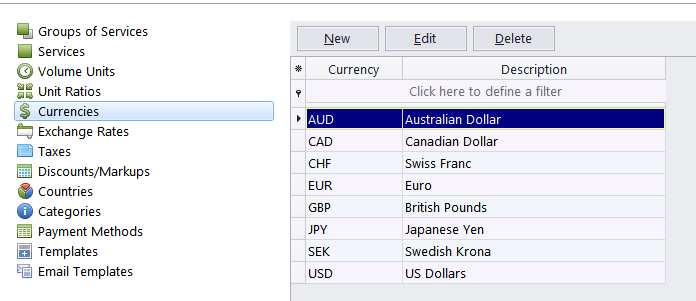
To define currency settings:
1. Click Business Settings in the Backstage view;
2. Click Currencies;
3. If some of the currencies you need are not included in the list, you may add them by clicking the New button. You can also edit or delete existing currencies.
Setting exchange rates
You can enter exchange rates between your base currency and any of the client currencies. Exchange rates of currencies are used for keeping parallel records in both the base currency and client currencies with no mismatch.
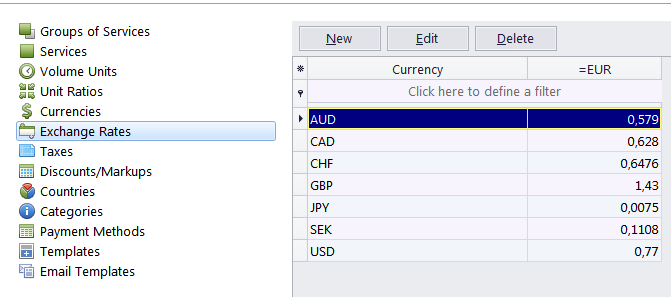
To enter an exchange rate:
1. Click Business Settings in the Backstage view.
2. Click Exchange Rates;
3. To add a new currency exchange rate, click the New button.
4. Select the currency from the drop-down list, enter its rate relating to your base currency and click OK
Editing exchange rates on individual records
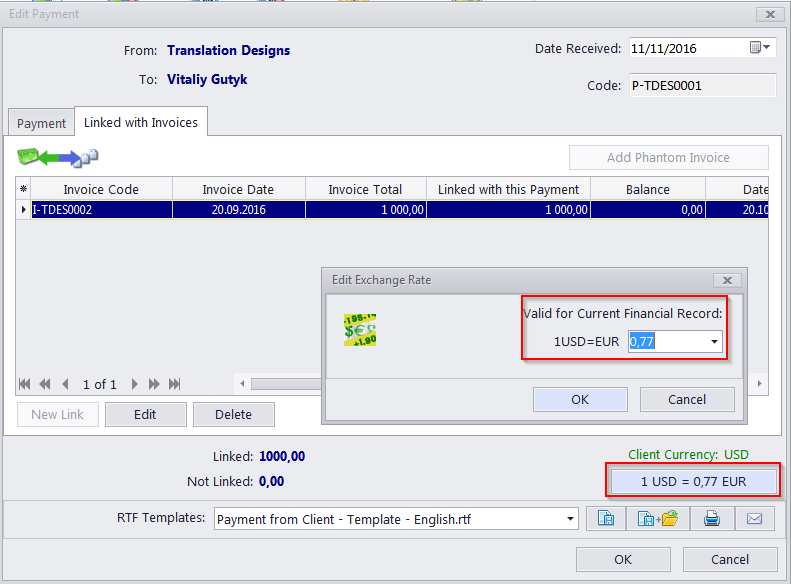
New/Edit windows for most database records involving financial transactions (Quotes, Invoices, Payments, etc.) include a special button when the client’s currency is different from your base currency.
The button displays the current exchange rate for the Client Currency and you can click it to edit the exchange rate for this specific record.

See also: