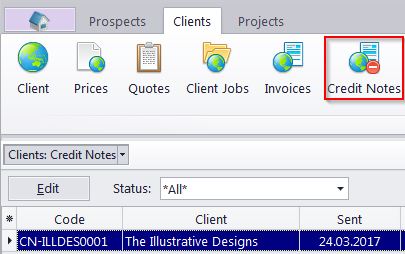
Client Credit Notes window
Migration notice: This page was converted from the legacy TO3000 3D CHM. Classification: KEEP. Legacy wording is evidence only — verify against current TO3000 7.1 / qa before treating as authoritative.
The options available for this window are the same as those in the Credit Notes tab of the Client window. The major differences are:
-
The Credit Notes to Clients window displays all credit notes issued to all clients.
-
New credit notes cannot be created using this window.
-
Existing credit notes cannot be deleted using this window.
Credit notes linked to a Paid invoice or to at least one refund can not be edited.
Credit Note Statuses
Credit notes can have one of four statuses:
-
Closed - the credit note is linked to an invoice with enough unlinked value to cover it completely.
-
Awaiting payment - the credit note has due balance and has not been linked to a refund.
-
Partially paid - the credit note has been linked to a refund but still has due balance.
-
Fully paid - the credit note is linked to an invoice and it’s value is fully covered
Filter
Use the Status filter drop-down list to display only credit notes with a specific status (Closed, Awaiting Payment, Partially Paid, or Fully Paid).

See also: