Next Client Codes
Migration notice: This page was converted from the legacy TO3000 3D CHM. Classification: KEEP. Legacy wording is evidence only — verify against current TO3000 7.1 / qa before treating as authoritative.
Codes of quotes, client jobs, payments and client-specific invoice codes are generated automatically each time a new quote, client job, payment or invoice is entered into the database. The prefix of these codes depends on the client’s name. The digits after that represent the counter code.
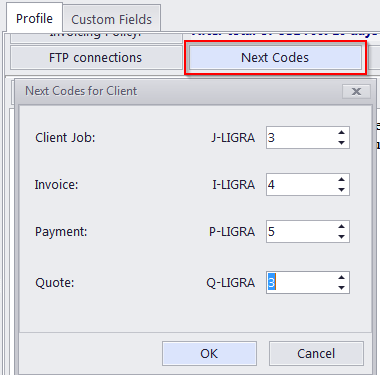
Although this code cannot be edited, you can advance the counter forward by specifying the next code in the Next Codes for Client window.
The maximum value of the next code that can be entered in the Next Codes for Client window is 999999. There is no technical limit to the maximum value the counter can reach.
To open the Next Codes for Client window click the Next Codes button in this Client’s profile.

See also: